Book a 30-Minute Call With Our Certified Consultant
Connect directly with our accredited consultant to get clear answers on
your HubSpot underutilized features, integrations, reporting and automation.
In this Consultation, you can discuss:
HubSpot Consulting Needs
Custom Automation Plan
Managing webinars effectively requires more than just scheduling sessions—it demands integrated marketing, sales, and reporting. That’s where Reforge Webinar HubSpot comes in. By connecting Reforge Webinar with HubSpot, businesses gain complete visibility into attendee engagement, lead nurturing, and sales outcomes.
At Mpire Solutions, our expertise extends across diverse HubSpot solutions, including HubSpot WooCommerce integration, event automation, and CRM optimization. This experience helps companies unify their marketing and sales processes with reliable integrations.
What Is Reforge Webinar HubSpot?
Reforge Webinar HubSpot highlights the integration between the Reforge webinar platform and HubSpot CRM. This setup ensures that every interaction during a webinar, registration, attendance, Q&A, and follow-ups is automatically tracked inside HubSpot.
The integration eliminates manual data entry, helps segment leads, and automates post-event outreach. Businesses can measure ROI more accurately and ensure their webinars directly support sales pipelines.
Benefits of Reforge Webinar HubSpot Integration
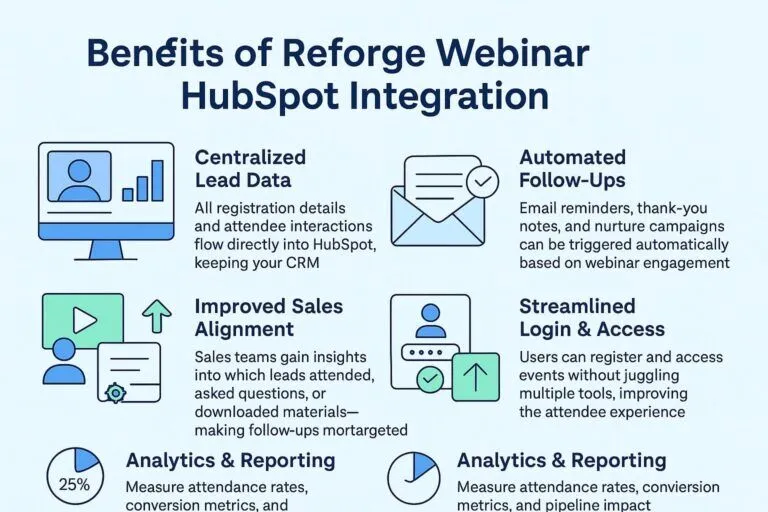
1. Centralized Lead Data
All registration details and attendee interactions flow directly into HubSpot, keeping your CRM updated in real time.
2. Automated Follow-Ups
Email reminders, thank-you notes, and nurture campaigns can be triggered automatically based on webinar engagement.
3. Improved Sales Alignment
Sales teams gain insights into which leads attended, asked questions, or downloaded materials—making follow-ups more targeted.
4. Streamlined Login & Access
With Reforge Webinar HubSpot login, users can register and access events without juggling multiple tools, improving the attendee experience.
5. Analytics & Reporting
Measure attendance rates, conversion metrics, and pipeline impact directly within HubSpot dashboards.
How Reforge Webinar HubSpot Integration Works
Step 1: Connect Accounts
Connect Reforge Webinar with HubSpot through the integrations marketplace or custom API configurations.
Step 2: Map Data Fields
Align webinar data, such as name, email, company, and activity, to HubSpot properties for clean reporting.
Step 3: Automate Workflows
Trigger workflows for lead nurturing, sales outreach, or customer support based on webinar interactions.
Step 4: Enable Login Sync
The Reforge Webinar HubSpot login capability ensures a single sign-on experience, reducing friction for both hosts and attendees.
Step 5: Monitor Reports
Track event performance, attendee engagement, and downstream revenue impact directly in HubSpot.
Use Cases for Businesses
Marketing Teams
Automate campaigns around webinar promotions and post-event nurturing.
Sales Teams
Receive qualified leads with complete engagement history, improving outreach effectiveness.
Customer Success
Host educational webinars and track attendance for retention initiatives.
Executives
Gain insight into how webinars impact pipeline and revenue growth.
Best Practices for Reforge Webinar HubSpot Integration
Pre-Webinar Setup: Segment lists in HubSpot to target the right audience.
During the webinar, use polls and Q&A to capture engagement data.
Post-Webinar Follow-Up: Trigger workflows to send personalized content.
Performance Review: Use HubSpot dashboards to identify patterns and optimize future sessions.
Why Work With Experts Like Mpire Solutions
Reforge Webinar HubSpot integration requires more than technical setup—it needs strategic alignment with business goals. At Mpire Solutions, we bring 15 years of HubSpot consulting experience, ensuring integrations not only function correctly but also deliver measurable results.
Conclusion
Reforge Webinar HubSpot helps organizations connect marketing, sales, and customer engagement into one streamlined process. From data sync to login management and reporting, the integration ensures webinars contribute meaningfully to business growth.
If your business is exploring webinar automation or other advanced HubSpot solutions, Mpire Solutions can help maximize your results.
FAQs
1. What is Reforge Webinar HubSpot integration? It is the connection between Reforge Webinar and HubSpot CRM, enabling automated data sync, attendee tracking, and marketing workflows.
2. How does Reforge Webinar HubSpot login work? It allows users to register and attend webinars using their HubSpot credentials, simplifying access and tracking.
3. Can I automate follow-ups with this integration? Yes, HubSpot workflows allow personalized follow-ups, reminders, and sales outreach triggered by webinar activity.
4. Is coding knowledge required to set up the integration? Most businesses can configure it through the HubSpot marketplace, but custom API setups may require technical expertise.
5. How does the integration improve reporting? All webinar data flows into HubSpot dashboards, giving you complete visibility into attendance, engagement, and revenue contribution.
I am a certified HubSpot Consultant, Full Stack Developer, and
Integration Specialist with over 15 years of experience successfully transforming
business-critical digital ecosystems. My expertise spans the entire software lifecycle,
ranging from high-performance web application development to managing large-scale
migrations, enterprise-grade CRM integrations, and secure compliance-driven solutions.





 HubSpot Consulting Needs