Book a 30-Minute Call With Our Certified Consultant
Connect directly with our accredited consultant to get clear answers on
your HubSpot underutilized features, integrations, reporting and automation.
In this Consultation, you can discuss:
HubSpot Consulting Needs
Custom Automation Plan
If you’ve been working with HubSpot for any length of time, you’ve likely hit a moment where default fields simply don’t reflect how your business actually operates. As a Hubspot Agency working daily with sales, marketing and RevOps teams, one of the most common questions we hear is how many custom properties can I create in HubSpot and what happens when those limits are reached.
This guide answers that question clearly, explains plan-based limits and shows how real teams use custom properties without breaking reporting, automations or data quality.
How many custom properties can I create in HubSpot?
You can create thousands of custom properties in HubSpot, but the exact limit depends on your HubSpot plan and object type. Most accounts never hit the limit if properties are planned correctly.
What Are Custom Properties in HubSpot?
Custom properties in HubSpot are user-defined fields that store data specific to your business. While default properties like lifecycle stage or email exist, they rarely capture details such as contract renewal dates, lead qualification notes or product interest categories.
When teams create custom property HubSpot fields correctly, they gain:
Clearer reporting
Better segmentation
More accurate automation
Cleaner CRM data across teams
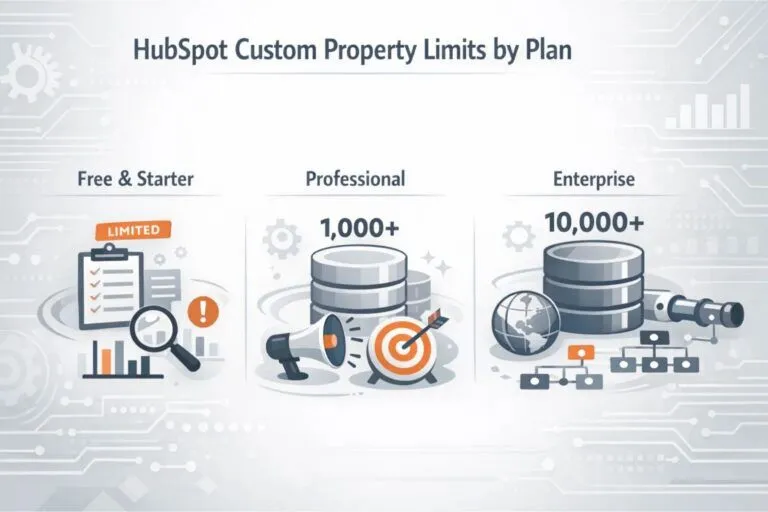
HubSpot Custom Property Limits by Plan
HubSpot does not publicly display hard caps in a simple table, but through years of implementations and audits, these practical limits are consistently observed.
Free & Starter Plans
Limited custom property creation
Best suited for basic tracking
Often hit constraints as teams grow
Professional Plans
Thousands of custom properties allowed
Ideal for growing sales and marketing teams
Supports advanced workflows and reporting
Enterprise Plans
Highest custom property capacity
Designed for complex data models
Supports multiple teams, regions and pipelines
In real-world use, Enterprise users rarely hit limits, while Pro users only struggle when properties are created without governance.
Custom Property Limits by Object Type
HubSpot applies limits per object, not just per portal.
Contact Properties
Commonly used for:
Lead qualification data
Persona tagging
Engagement scoring inputs
Company Properties
Used for:
Firmographics
Account tiering
Contract values and renewal tracking
Deal Properties
Critical for:
Sales forecasting
Pipeline reporting
Revenue attribution
Custom Objects
Enterprise users can define custom objects with their own property sets, which greatly reduces pressure on standard objects.
Real-World Scenario: When Teams Hit Property Limits
A B2B SaaS client came to us frustrated that reports were breaking and sales reps were confused. The issue wasn’t HubSpot itself. Over three years, different teams had created duplicate fields like:
Industry
Company Industry
Client Industry Type
None were governed. Automations referenced different fields and reports contradicted each other.
We consolidated properties, archived unused ones and reduced property count by 38% without losing data. Limits were never the real problem. Structure was.
Best Practices Before You Create Custom Property in HubSpot
Name Properties for Long-Term Use
Avoid internal shorthand or team-specific labels. A property name should still make sense two years later.
Avoid Duplicates at All Costs
Before creating a new field, search existing properties. Duplicate fields are the fastest way to damage CRM trust.
Choose the Right Field Type
Changing field types later can break workflows and integrations. Decide once, decide carefully.
Group Properties Properly
Use logical property groups so sales, marketing and support teams find fields easily.
How Custom Properties Impact Reporting and Automation
Every custom property becomes a data source for:
Lists
Workflows
Dashboards
Revenue attribution
Too many poorly planned properties slow down reporting and confuse users. Fewer, well-structured properties always outperform quantity.
When Should You Stop Creating New Properties?
Stop and reassess if:
Reps don’t know which field to use
Reports show inconsistent numbers
Automations rely on similar fields
Teams request just one more field repeatedly
At this point, a property audit is more valuable than adding more fields.
Custom Properties and Integrations
If you sync HubSpot with ERP, finance or ecommerce platforms, each integration often introduces new properties. Without control, this inflates property counts quickly.
This is where experienced HubSpot consulting matters. Integrations should reuse existing properties wherever possible instead of creating new ones automatically.
Why Property Strategy Matters More Than Limits
Most companies asking how many custom properties can I create in HubSpot are actually asking a deeper question: Can our CRM grow with us without becoming messy?
The answer is yes, but only with intentional design.
At Mpire Solutions, we’ve seen high-growth companies operate cleanly with fewer than 300 custom properties, while others struggle with over 1,000.
So, how many custom properties can I create in HubSpot?
Enough to fully support your business, provided they’re created with intent, structure, and long-term clarity.
If your portal feels cluttered or reporting no longer matches reality, the solution isn’t more properties. It’s better strategy.
That’s where an experienced HubSpot partner makes the difference.
FAQs
HubSpot allows thousands of properties across standard and custom objects, though exact limits depend on your subscription.
A custom object in HubSpot can have hundreds of custom properties, with limits varying by plan and object type.
Key limitations include higher costs at scale, feature restrictions on lower plans and limited deep customization compared to some enterprise CRMs.
You can create custom properties from Settings → Properties, choose the object, define the field type and save it for use across the CRM.
Yes, custom properties sync with integrations, but mismatched field types can cause data issues.
I am a certified HubSpot Consultant, Full Stack Developer, and
Integration Specialist with over 15 years of experience successfully transforming
business-critical digital ecosystems. My expertise spans the entire software lifecycle,
ranging from high-performance web application development to managing large-scale
migrations, enterprise-grade CRM integrations, and secure compliance-driven solutions.





 HubSpot Consulting Needs